
SharePoint, from real client work
Information architecture, metadata, governance and the decisions that make SharePoint hold up, and give AI something trustworthy to read. 75 articles. New to SharePoint? Start with the SharePoint fundamentals guide.
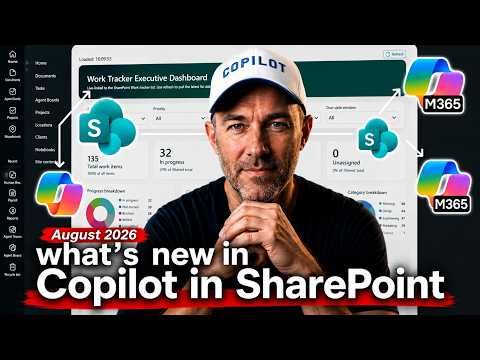
Build a Live Dashboard from a Microsoft List with Copilot in SharePoint
Copilot in SharePoint can build an HTML dashboard that stays linked to the Microsoft List behind it, launch it from a button on a page, and save the prompt as a skill the whole site can use. The three stack, and together they turn a one-off report into something a team runs every week.
7 August 2026 · 6 min read
What Copilot in SharePoint Can Actually Do: Every New Feature Tested
Copilot in SharePoint has moved well past answering questions about a site. I tested every feature in the July 2026 update, from creating Office files to setting up approvals, and here's what it did and where I'd put the guardrails.
20 July 2026 · 7 min read
How to Build a Compliance Check with Copilot in SharePoint Skills
I built a compliance gate for Statements of Advice with two Copilot in SharePoint skills and a tracking list. The first skill checks every new SOA for the disclosure statement and authority to proceed, the second re-checks and clears it to send. No code, no Power Automate.
18 July 2026 · 7 min read
Can You Use Claude Skills in SharePoint? I Tested Anthropic's Design Skill
People tell me SharePoint skills lack the creative flair of Claude's. So I downloaded Anthropic's frontend design skill, dropped it into a SharePoint site and asked Copilot for an event page from a plain Microsoft List.
6 July 2026 · 6 min read
How to Build a Dashboard from Raw Data with Copilot Cowork
I gave Copilot Cowork 22 files of ticketing data and call transcripts from a SharePoint library, plus a design file for the brand. It came back with an interactive dashboard, commentary included, and fixed its own bugs before handing it over.
15 May 2026 · 7 min read
What Is SHAREPOINT.md? The File That Gives Your SharePoint Site a Brain
SHAREPOINT.md is one markdown file that Copilot in SharePoint reads at the start of every conversation on your site. Write your libraries, naming conventions and rules into it once, and every user on the site gets them.
27 April 2026 · 9 min readGet these in your inbox. Three emails a week.
Practical thinking on organising your information and getting real work out of AI. Subscribers get the free SharePoint Skill course to start.