
Practical notes from real client work
SharePoint architecture, Microsoft 365 Copilot and AI workflows. Written from what's running in real tenants, not from the roadmap.

Copilot Code: I Built a SharePoint CRM and Tested It Like a Real User
Copilot Code planned the SharePoint back end, built a working CRM on top for 5,415 credits, then fixed the gaps I found when I used it like a salesperson would. It's still in preview and not published.
23 October 2026 · 7 min read
Copilot Agent vs Copilot in Word: Do You Need to Build an Agent?
"Can Copilot or an agent fill out this Word doc for me?" is one of the most common requests I get. For a lot of them, the answer is Copilot in Word with a referenced spreadsheet, no agent required. How the two compare, and the four questions I ask before building an agent.
19 October 2026 · 6 min read
How to Turn Existing Documents into a SharePoint Knowledge Base with Copilot
I gave Copilot in SharePoint 30 HR, IT and onboarding documents and had it plan, build and maintain a knowledge base from them: interlinked pages organised by topic, a new document filed where it fits, and pages refreshed when a source changed.
17 October 2026 · 7 min read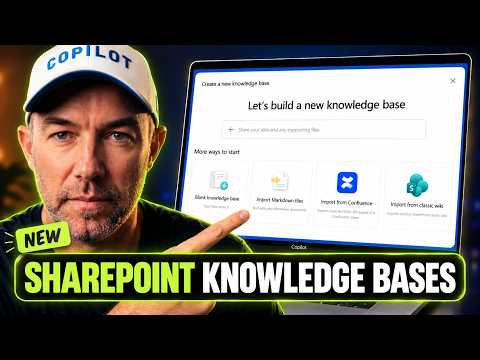
How to Create a Knowledge Base in SharePoint (First Look)
SharePoint knowledge bases are connected markdown pages your team can read and Copilot can work from. A hands-on first look at creating one, importing a folder of markdown and using page properties, while it's still in Frontier preview.
16 October 2026 · 8 min read
How Work Really Gets Done vs What's Written Down
Every process has two versions: the one in the SOP and the one your team actually runs. Copilot Cowork can now read both, show you where they differ, and help you fix the record.
10 October 2026 · 7 min read
Extract, Merge and Share PDF Pages with One Prompt in Copilot in SharePoint
Copilot in SharePoint can now pull pages out of two PDFs, merge them into a new file and share it read-only, all from one prompt. Here's how it handles the job, and why the approval step matters.
6 October 2026 · 5 min readGet these in your inbox. One email a week.
Practical thinking on organising your information and getting real work out of AI. Subscribers get the free SharePoint Skill course to start.