
Practical notes from real client work
SharePoint architecture, Microsoft 365 Copilot and AI workflows. Written from what's running in real tenants, not from the roadmap.

New Outlook for Windows Features Worth Using: Pinning, Search, Categories and My Day
I showed five features of the new Outlook for Windows in 2023. Four are still there and worth setting up: pinned emails, filtered search, categories in Favorites and To Do in the My Day pane. The fifth, calendar Boards, was retired two months after I recorded it.
20 April 2023 · 5 min read
How Teams and SharePoint Work Together: Where Your Teams Files Actually Live
Teams is the front end and SharePoint stores the files. Every team gets a Microsoft 365 group and a SharePoint team site, every standard channel gets a folder in its Documents library, private and shared channels get sites of their own, and files shared in chats go to the sender's OneDrive.
29 January 2023 · 7 min read
How to Build a Tools and Apps Dashboard in SharePoint
A tools dashboard puts every app, system and shortcut people need on one SharePoint page. I build the catalogue as a Microsoft List shown in gallery view, and use the Quick links web part for the short list of things people click every day.
27 December 2022 · 8 min read
How to Post Microsoft Forms Responses to Teams with Power Automate
One Power Automate flow can take every Microsoft Forms response, post it to a Teams channel, add a follow-up task in To Do and log it in a Microsoft List. Here are the current trigger and action names, the steps, and what I'd check before building it.
20 May 2022 · 7 min read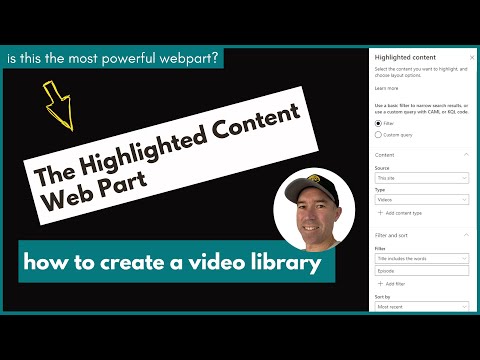
What Is the SharePoint Highlighted Content Web Part and How Does It Work?
The Highlighted content web part shows content on a page by rule instead of by hand: every video in a library, every page tagged Christmas, every info sheet. Here's how it finds content, the filters that matter, and when I'd use something else.
17 August 2021 · 8 min read
How to Create an FAQ Page in SharePoint with Collapsible Sections
Collapsible sections turn a long SharePoint page into a list of questions people can open one at a time. I build an FAQ page with them step by step, cover the settings that have changed since I first recorded it, and explain how I'd keep the page useful once it's live.
5 August 2021 · 7 min readGet these in your inbox. One email a week.
Practical thinking on organising your information and getting real work out of AI. Subscribers get the free SharePoint Skill course to start.