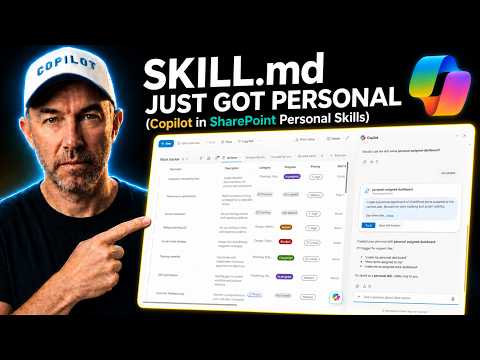
Copilot Cowork’s App skill builds an interactive business app from a description and your connected data, and you can publish and share the result inside your organisation. I used it to build a lightweight CRM on SharePoint lists: a sales pipeline you can drag deals across, workspaces for each company and contact, activities and follow-ups, and a dashboard. The backend and frontend together took a little under an hour, including several rounds of fixes.
I split the work between two tools. Copilot in SharePoint built the backend: the lists, columns, relationships and sample data. Cowork built the app on top, from a schema document Copilot wrote at the end of the backend build.
Build the backend in SharePoint first
I started with a Markdown file in the site’s documents describing the CRM: the lists, the columns and how they connect. I opened Copilot in SharePoint and asked it to review the file and put together an implementation plan before building anything, and to point out anything missing. It came back with recommended additions, including a list for the products and services attached to each opportunity. I told it to go ahead, and to choose sensible example values for the choice columns.
It created the lists (Companies, Contacts, Opportunities, Activities and the rest) with the relationships between them. I then asked for sample data for 15 companies across every list, and it added 100 connected records. Demo data, so I could test the app against something realistic.
Last, I asked Copilot to write an as-built document describing what it had created: every list, column and lookup. That file became the brief for Cowork.
Hand Cowork the as-built schema
In Cowork I used the App skill, attached the as-built Markdown file, and asked it to build the CRM from it, using Fable 5.1 as the model. The schema told Cowork which lists existed and how they linked, and the screens it built read and wrote those lists.
The prerequisites at the time of the build: an active Microsoft 365 Copilot licence, Cowork and usage-based billing turned on, and Frontier access while the App skill is in preview. They’re listed under Cowork prerequisites.
Expect checkpoints, and test at each one
Cowork didn’t try to build the whole CRM in one go. It built in passes, told me what it had added and what it had deferred, and asked me to test specific things before continuing.
- Pass one gave me the pipeline. I dragged a deal from Discovery back to Qualification, moved another to Proposal, and both changes saved to SharePoint.
- Pass two added companies, contacts, activities, documents and global search. A new activity saved, but assigning it to a person didn’t work, and the documents screen showed raw HTML under each file name.
- Pass three fixed the documents screen. The people picker still couldn’t resolve users, and setting my identity in the app’s settings failed with my full email address.
- Final pass. I asked Cowork to find a different way to identify people if it couldn’t look them up directly. After that the app recognised me as the signed-in user, showed my outstanding activities and let me assign people to an activity.
Some dates still displayed a little off, and a link to a file I’d deleted didn’t open. I’d fix both before a pilot.
Publish and share the app
Once the app was where I wanted it, I published it and shared it with a colleague, Frankie. When he opened it, the app already knew who he was. The sign-in comes from Entra ID, with nothing to set up in the app itself.
Budget for running it before you build it
My build figure for this one was US$46.54. It doesn’t tell you what the app will cost once a sales team uses it every day.
Building and running Cowork apps are both usage-based. Your Microsoft 365 Copilot licence doesn’t include a Cowork usage allowance, and consumption is charged in Copilot Credits at US$0.01 each on pay-as-you-go, according to Microsoft’s Copilot Credits guidance. How many credits your app uses depends on what people do in it.
So I’d run a short pilot before committing. Have a few people do their normal work in the app (reviewing customers, updating opportunities, logging follow-ups), keep any further development separate, and check consumption in the Microsoft 365 admin centre. Repeat that over a few sessions and you’ve got a real basis for a monthly estimate. Confirm what the people using the published app need for access before you roll it out.
I’d also keep SharePoint as the system of record. SharePoint holds the records behind the experience, and the app is a front end over the lists. If you rebuild the app, replace it or stop paying for it, the companies, contacts and history are still sitting in SharePoint with their own permissions and version history. For the list-plus-Copilot pattern on a smaller scale, see building a live dashboard from a Microsoft List.
Frequently asked questions
Where do I see what a Cowork app has cost? In the Microsoft 365 admin centre under Copilot, Cost management. It covers consumption from both building and using Cowork apps, and can break it down by user and service.
Who can open a shared Cowork app? Only the people and groups you add when you share it. The share link works for people in your organisation who’ve been added; anyone else can’t use it.
Can I change the app after I’ve published it? Yes. You can reopen the app in Cowork and keep iterating on it, the same way I fixed it between passes. The SharePoint lists underneath stay as they are unless you change them too.
Do I have to write the CRM schema myself? I wrote the first Markdown definition, but Copilot in SharePoint reviewed it and added what was missing before building. It also wrote the as-built document at the end, which is the one I gave Cowork.
Can I build apps in Copilot Studio as well? Microsoft announced app building in both Copilot Cowork and Copilot Studio. I built this CRM with the App skill in Cowork.